Any PC game · Windows 10 / 11 · Early access

Your PC games,
wrapped for the stream.

PC-WRAP puts overlays, facecam, recording, Go Live and vertical 9:16 on top of the game you're already playing, and sends a link so friends can watch and play along from a browser. Nothing is injected into the game.

Windows 10 (2004+) / 11 · 64-bit · lives in the tray, works with games in a window or borderless

8overlay cards you can drag anywhere
0things injected into your game
3audio tracks in every clip
7+live platforms at once

The stream toolkit, on top of any game

The tools from PS-WRAP, rebuilt for the games on your PC. Pick a game window and PC-WRAP follows it.

Overlays on your game

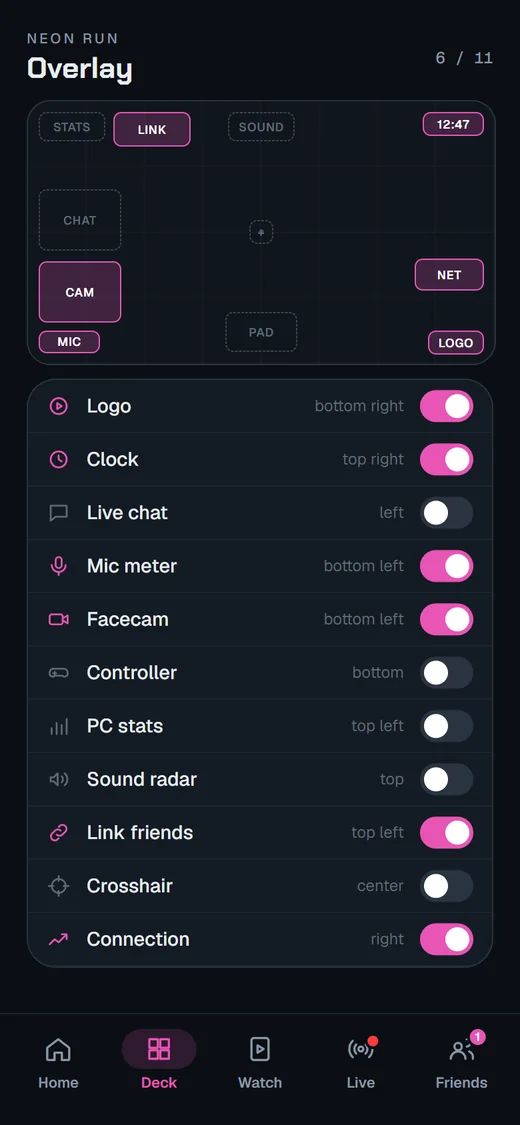
Eight cards: clock and play time, live chat from YouTube and Twitch, mic spectrum, facecam, a 3D controller, PC stats, sound direction and your logo. Drag and resize them. They stay over the game even when you click another window, and hide when it's minimized.

Nothing injected

No DLLs, no hooks, nothing written into the game. The overlay is its own see-through window that clicks pass through, so anti-cheat has nothing of ours inside the game to find.

Record and screenshot

Clips from 480p to 4K with your cards in the picture. HDR games are tone-mapped on the GPU so colors look right. NVENC, AMF or x264 at 30, 60 or 120 fps, with game, mic and both mixed on separate tracks.

Share it on Discord or OBS

The Output window shows the game with the same cards. Share that window in a Discord call or add it to OBS, with the game's sound and, if you like, your mouse pointer. Minimize it and PC-WRAP parks it off screen, so the share keeps going instead of turning black.

Go Live everywhere

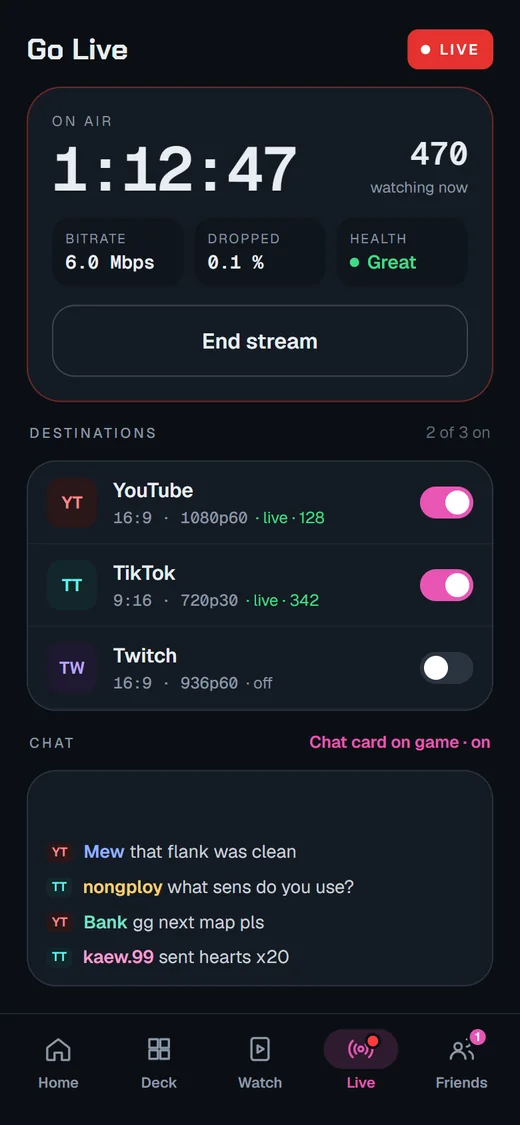
YouTube, Twitch, Kick, Facebook, X, TikTok, Instagram or any RTMP(S) server, several at the same time and up to 4K on YouTube. It reconnects by itself, and stream keys stay in Windows Credential Manager.

Vertical 9:16

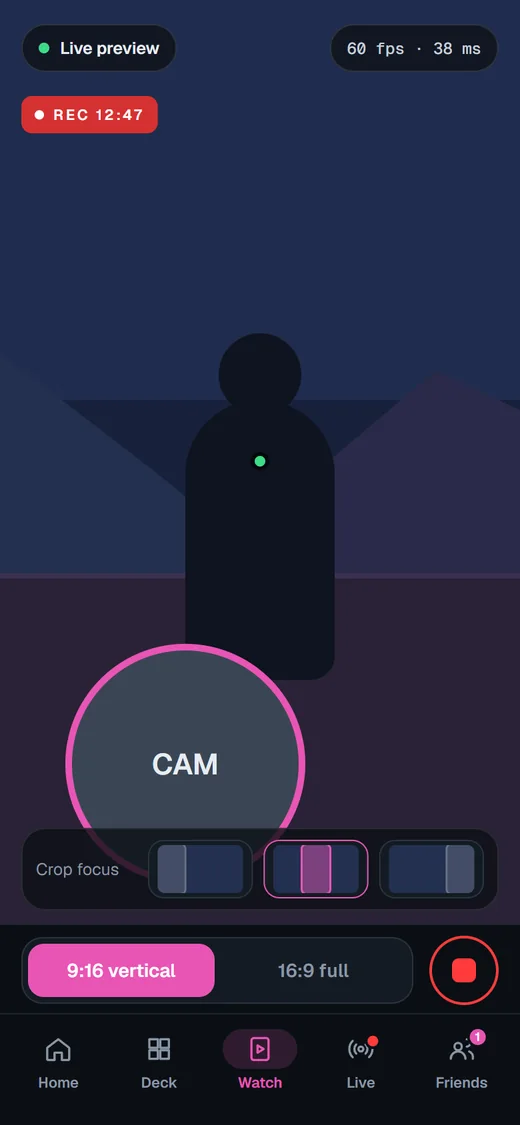
Shorts, TikTok and Reels from the same game: cam + game, center crop or blur fill. Record 9:16 next to your normal clip, or stream it to vertical destinations.

Facecam with face effects

Any webcam, or a picture or GIF instead. Remove the background with AI (no green screen needed) or key out a green or blue screen, zoom, mirror and crop to a circle. Eleven face effects follow your head: sunglasses, crown, samurai mask, ninja, kabuto and more.

See where sounds come from

The sound direction card listens to the game's own audio and shows where it comes from: all the way around on 5.1 / 7.1, left and right on stereo headphones. It only shows; it never touches your input.

A mic that sounds right

Boost from −12 to +24 dB and a noise gate that cuts the room between words. Use another app's sound as your mic, and run a 10-second Mic check to hear yourself first.

A controller that moves with yours

The controller card is a 3D DualSense that tilts the way you hold it, lights the buttons you press and shakes with the game: plug a DualSense in with USB and PC-WRAP feels the game's haptics. Test vibration with your own strength and boost.

Crosshair

Seven styles in the color, size and thickness you like, fixed at the center of the game. A plain picture that never reads the screen, and clicks go straight through.

Your color

Change the accent color and every card, chip and button follows. Try it here:

Finds your game

The picker shows program icons and, with Games only on, hides browsers and tools so the game is right at the top.

Everything from one bar

Move the mouse to the bottom of the game and the status bar slides up: record, screenshot, 9:16, Go Live, Link, mic and layout. Drag it anywhere. Make the cards click-through, hide them when the game isn't focused, or keep them off screen captures.

Game window size

Windowed game with no resolution setting? Set it to 1280 × 720, 1920 × 1080 or 2560 × 1440 in one click, and put it back to the original.

Instant Replay and chapter markers Coming soon

Missed the moment? Save the last minute of the game with one press, cards and sound included. Drop chapter markers while you record so the best parts are easy to find later.

Show off your setup

PC-WRAP's own windows stay out of screenshots and screen sharing by default. Want to share your settings? Copy a picture of the window in one click, to the clipboard and a file, or let PC-WRAP windows show up in captures for a while.

Settings stay off camera

The status bar, Settings, the game picker and the tray menu never show up in your clips, your stream or what friends see. Only the game and the cards you chose do.

In development · Android & iOS

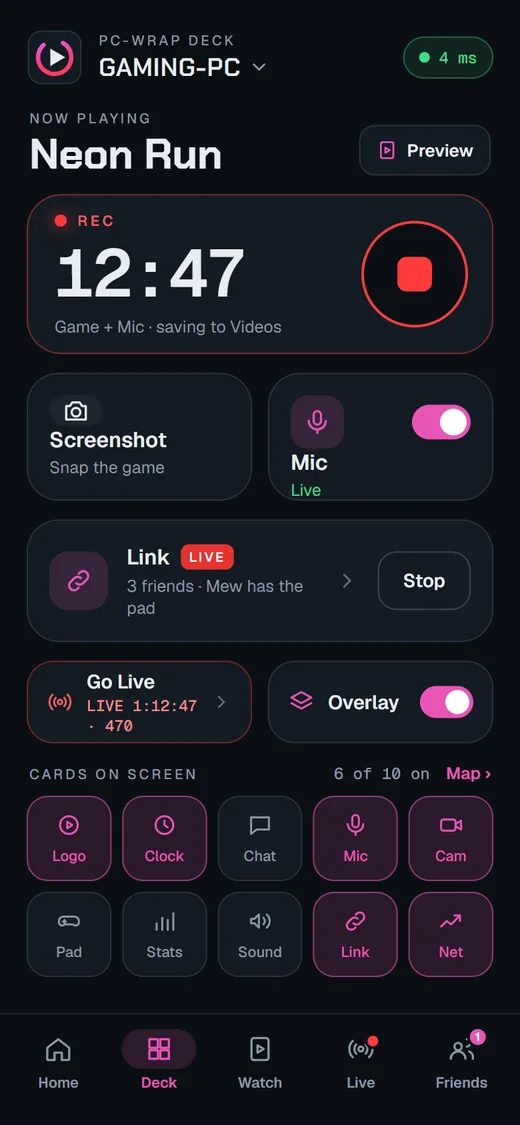
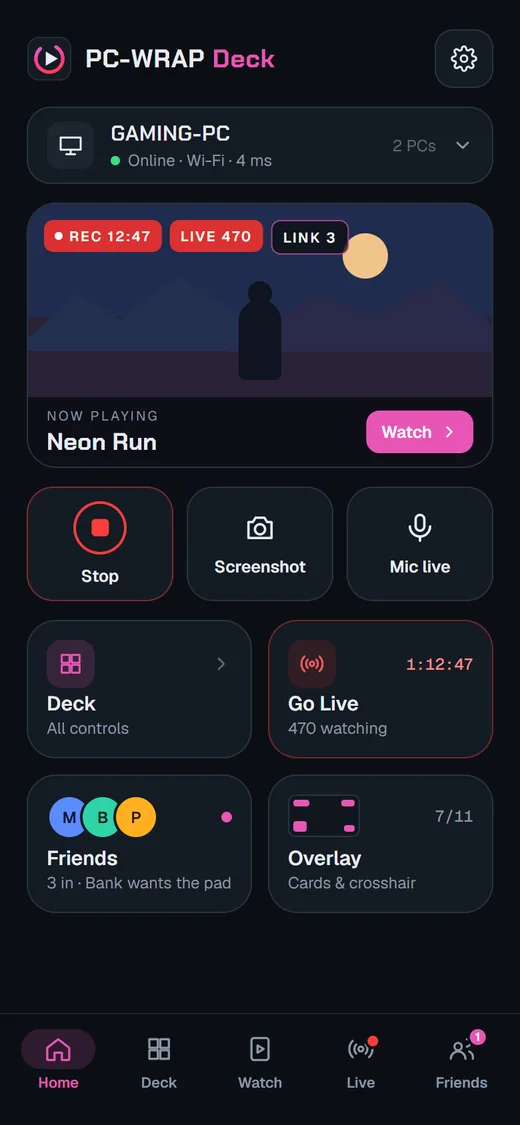
PC-WRAP Deck

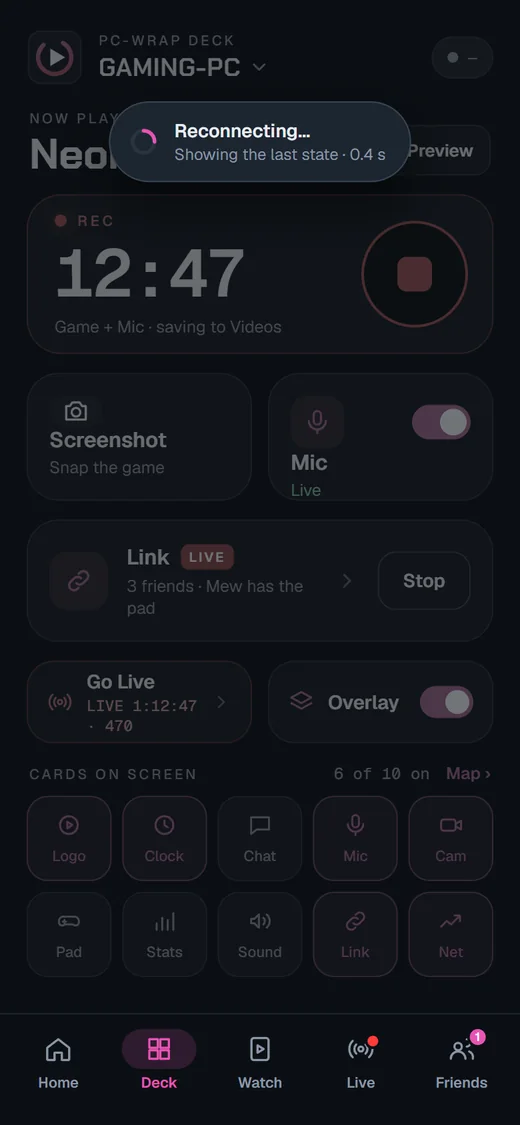
  • One tap: record, screenshot, mic, overlays, single cards, crosshair, Link
  • Pair with a QR code, then it connects on your Wi-Fi or from anywhere through our relay
  • Signed messages: only your paired phone is heard, and it can only control PC-WRAP, never your keyboard or mouse
Follow on Discord
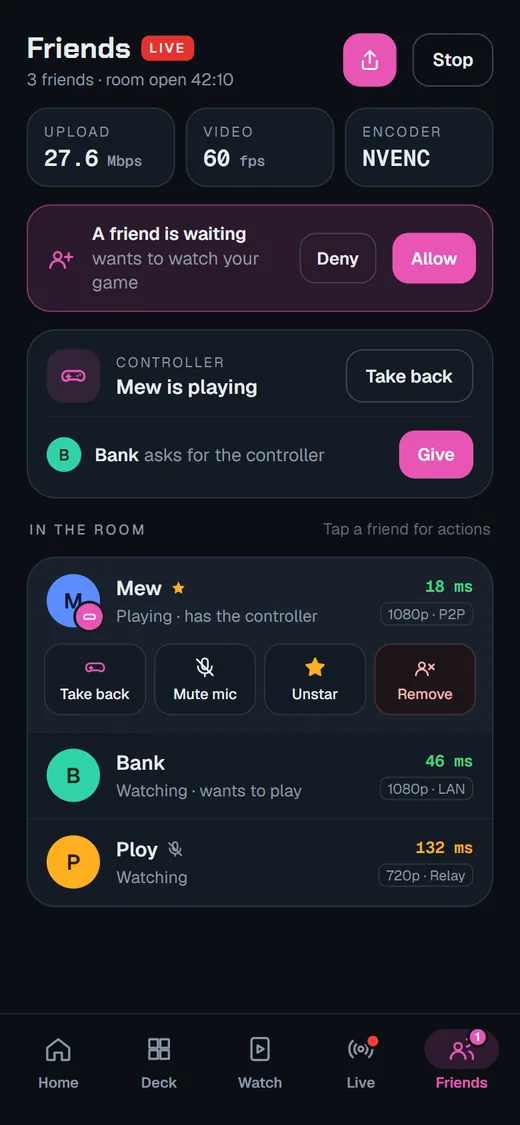
PC-WRAP Deck: Pair PC-WRAP Deck: Home PC-WRAP Deck: Deck PC-WRAP Deck: Watch PC-WRAP Deck: Go Live PC-WRAP Deck: Friends PC-WRAP Deck: Overlay PC-WRAP Deck: Reconnecting

1 / 8Pair with your PCScan the QR code from PC-WRAP › Settings › Phone, or type the 6-digit code.

Design preview · the app is in development

A closer look

Real screens from PC-WRAP. Click any image to see it full size.

Up and running in a minute

  1. Get the zipOne portable package for Windows 10 / 11, 64-bit. Nothing to install.
  2. Run PC-WRAP.exeIt lives in the tray. Right-click the icon for everything; closing a window doesn't quit.
  3. Pick your gameChoose the game window and your cards appear on it. Play in a window or borderless.

PC-WRAP Early access

Ask for early access

Early builds go out on Discord while we get ready for a public release.

Needs Windows 10 version 2004 or newer, or Windows 11, and a DirectX 11 graphics card. NVIDIA (NVENC) or AMD (AMF) encoders are used when present; otherwise x264.

Questions

Can PC-WRAP get me banned?

PC-WRAP never injects code, hooks or DLLs into a game and never reads game memory. The overlay is a separate window, and recording copies the screen the way Windows sharing does. That is the same approach as OBS and Discord. We can't speak for every anti-cheat, so if a game's rules forbid overlays, follow them.

Which games work?

Games running in a window or borderless window, which is most modern PC games. In exclusive fullscreen, Windows draws the game above everything else, so switch to borderless to see your cards.

How is it related to PS-WRAP?

Same team, same toolkit. PS-WRAP streams your PlayStation to your PC. PC-WRAP brings the same overlays, recording, Go Live and Link to games that run on your PC.

What do my friends need for Link?

Just the link and a modern browser on a phone or computer. No install, no account. To hand them a controller, you install the free ViGEmBus driver once on your PC. They can also play with keyboard and mouse.

Can friends control my whole PC?

No. Friends' input only reaches the game you picked, only while it is in front, and system keys like Win, Alt+Tab and Alt+F4 are blocked. You can take the controller back at any time with Ctrl+Shift+U. Full remote control of your PC is never part of PC-WRAP.

Does it collect my data?

No accounts, no ads, no analytics. Stream keys stay in Windows Credential Manager. Link connects you and your friends directly when it can; our server only helps you find each other and relays the connection when a direct one isn't possible.

Mac or Linux?

Windows comes first. PC-WRAP is built so that Linux and macOS can be added later without rewriting the app.

The team

The people behind PC-WRAP

The same small crew from Thailand that builds PS-WRAP. We stream, we play, and we make the tools we want to use.

BudToZai01Lead// SHOGUN

BudToZai

Founder & Project Lead

Runs the whole show: product, code, releases and the community. Builds the AI agents that work alongside the team.

  • AI Agent Engineering
  • Architecture
  • Product
iDevGIS
Top02// NETCODE RONIN

Top KrisanathepB

Performance Tuning

Chases every millisecond: capture, encoding and frame pacing, until the picture feels instant.

  • Performance Tuning
  • Profiling
  • Frame pacing
  • GPU
theidentify
Soda03// CODE SENSEI

Soda

Code Quality & Standards

Keeps the source clean and consistent: the coding standards, reviews and rules every change has to pass.

  • Code Standards
  • Code Review
  • Refactoring
solillumina
Sunny04// REFLEX SENTINEL

Sunny

Stream QA & Playtesting

Pro esports reflexes: feels a dropped frame before the stats show it, and stress-tests the picture friends and viewers get.

  • Playtesting
  • Stream Stability
  • Latency Feel
  • Esports
suphawetf

Come say hi

Get early builds, share clips, get help, and tell us what to make next.